

Cookie Clicker has captured millions of players with its addictive idle gameplay, but after hours of manual clicking, your finger starts to hurt, and the repetitive action becomes tedious. That's where an auto clicker for Cookie Clicker comes in to save the day.
Whether you're trying to unlock achievements that require thousands of clicks, maximize your cookie production while away from your computer, or simply want to progress through the game without the physical strain, a reliable auto clicker is essential for serious Cookie Clicker players.
The good news? You don't need to spend money on expensive software. There are excellent free options available in 2026 that work perfectly with Cookie Clicker, each designed for different playing styles and performance needs.
Let's explore the best free auto clickers and help you find the perfect solution for your Cookie Clicker journey.
Why Cookie Clicker Needs an Auto Clicker
If you've been playing Cookie Clicker for more than a few hours, you already know the problem. Your finger hurts, your clicking speed slows down, and you start wondering if there's a better way to play this addictive game.
Your hand gets tired - Let's be honest, clicking thousands of times isn't fun after the first hour. Cookie Clicker is supposed to be relaxing, not a workout for your index finger.
You miss out while away - Cookie Clicker keeps running when you're not playing, but without clicking the big cookie, you're leaving massive amounts of cookies on the table. An auto clicker keeps generating cookies even when you're sleeping or at work.
Some achievements are impossible manually - Try clicking 100,000 times by hand and see how long that takes. Certain achievements simply aren't realistic without automation.
Late game requires consistent speed - When you're dealing with trillions of cookies and expensive upgrades, every click counts. Manual clicking can't maintain the consistency needed for optimal progression.
These are exactly the reasons why you should try an auto clicker for Cookie Clicker. The good news is you don't need to spend money - there are excellent free options that solve all these problems.
Best Free Auto Clickers for Cookie Clicker
MT Auto Clicker Extension
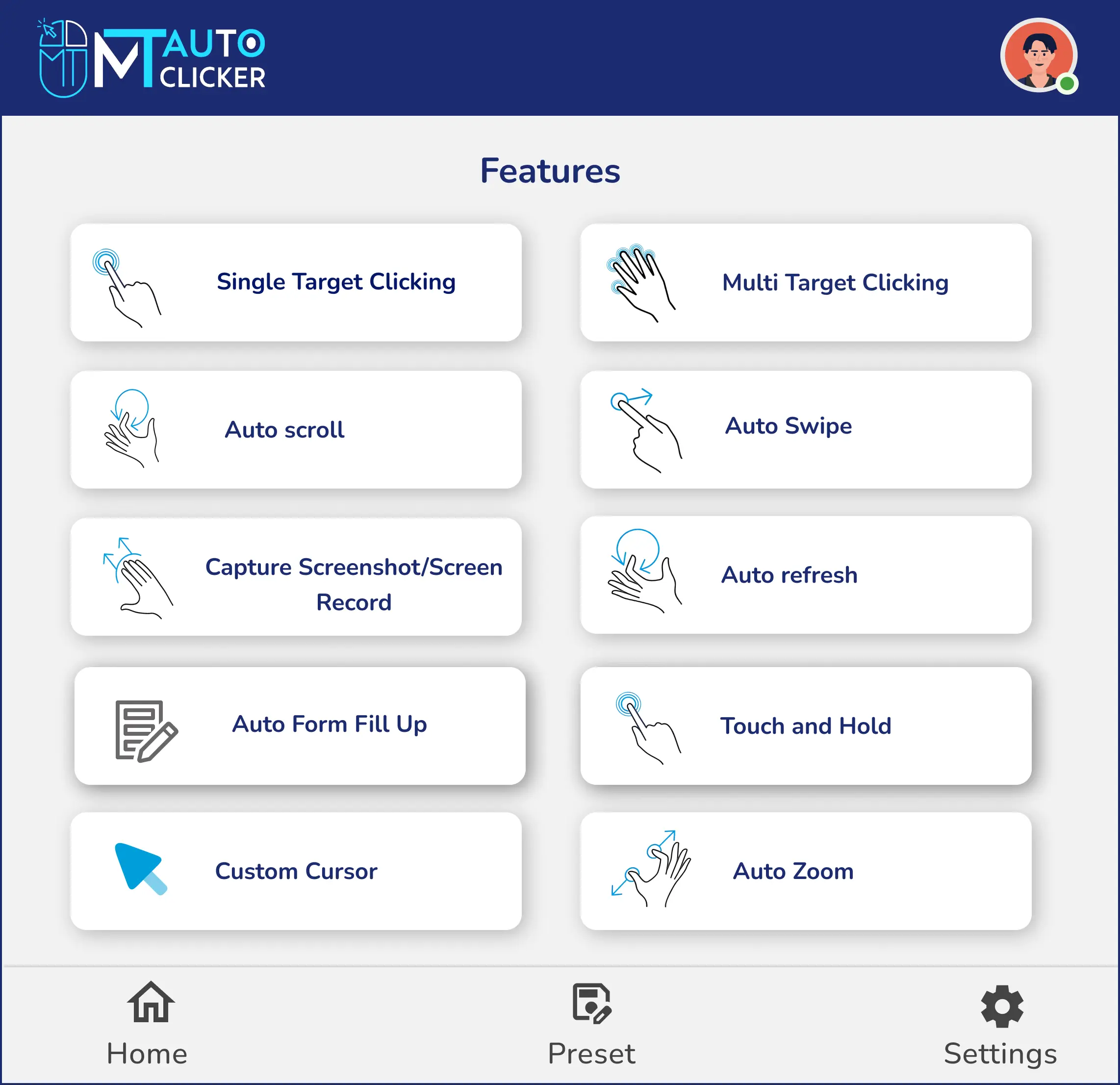
MT Auto Clicker's browser extension is the perfect starting point for most Cookie Clicker players. It's completely free with no downloads, installations, or sign-ups required - just add it to your browser and start clicking.
The extension works across all major browsers, including Chrome, Mozilla Firefox, Edge, Opera, and Brave, making it accessible regardless of your preferred browser. Since it's web-based, you get the same experience whether you're on Windows, Mac, or Chromebook. Get MT Auto Clicker Extension to start automating your Cookie Clicker sessions.
What makes it ideal for Cookie Clicker is the flexible timing controls that let you customize your clicking sessions exactly how you want - from quick bursts to overnight idle generation.
MT Auto Clicker Software
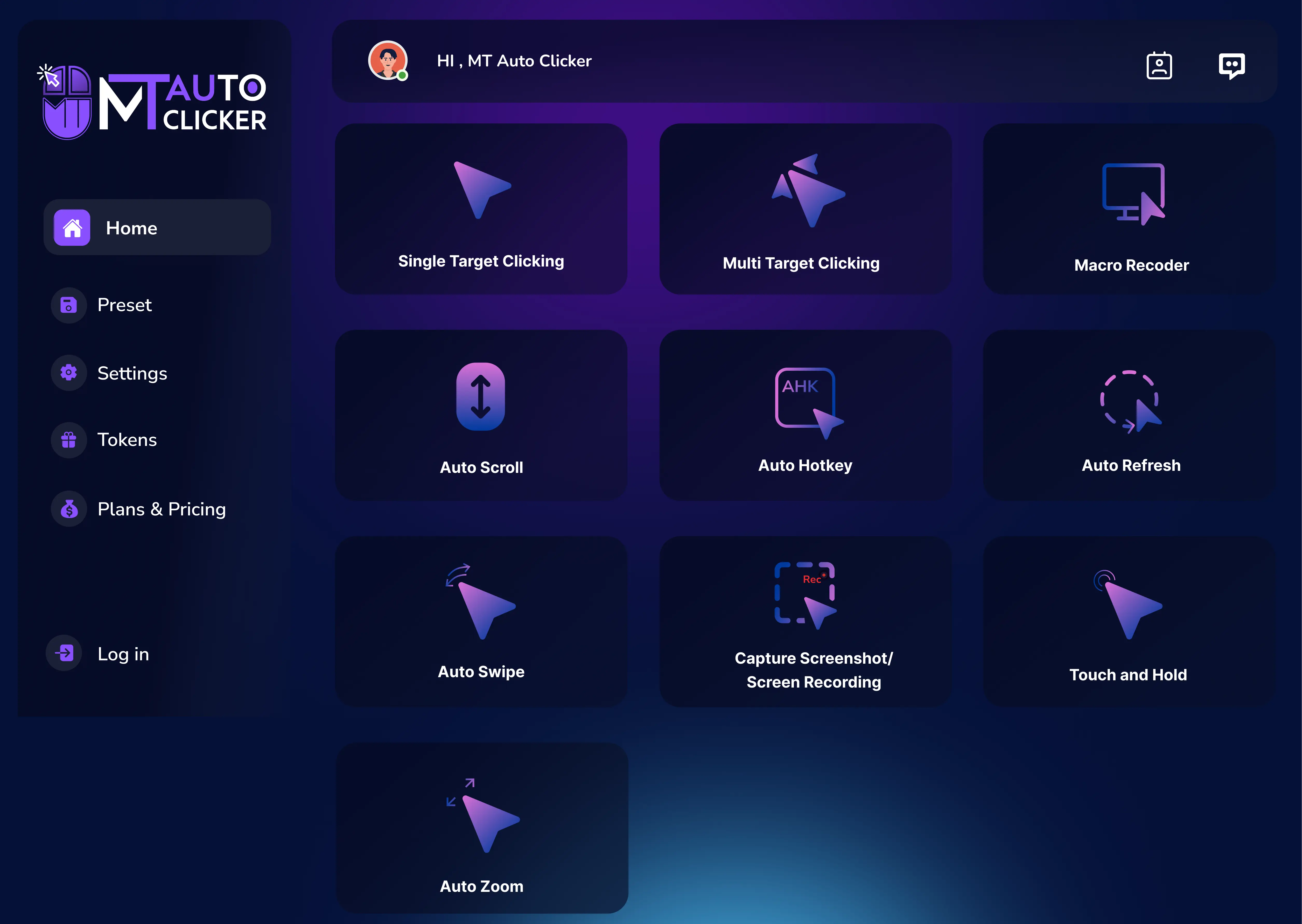
For players who want maximum clicking power, MT Auto Clicker's Windows software delivers true 1ms precision clicking - the fastest possible speed available in any auto clicker.
This desktop solution is perfect for power users who need ultimate performance that browser extensions simply can't match. When you're pushing for maximum cookie generation or competing for speed records, the 1ms precision gives you an unbeatable advantage.
Choose the software when browser-based clicking isn't fast enough for your Cookie Clicker goals.
Quick Comparison with Other Options
While other free auto clickers exist, most lack the game-specific features that serious Cookie Clicker players need. Generic auto clickers typically offer only basic clicking without the timing controls and reliability that Cookie Clicker demands.
MT Auto Clicker stands out by offering both convenience (a browser extension) and power (desktop software) in a single, free solution. Most importantly, it's completely free with no hidden costs, tokens, or premium upgrades required.
Setup Guide for Cookie Clicker
Extension Setup and Optimal Settings
Step 1: Install MT Auto Clicker Extension
- Open your browser and go to the Chrome Web Store
- Search for “MT Auto Clicker”
- Click “Add to Chrome” and confirm the installation
- The MT Auto Clicker icon will appear in your browser toolbar
Step 2: Configure Your Auto Clicker
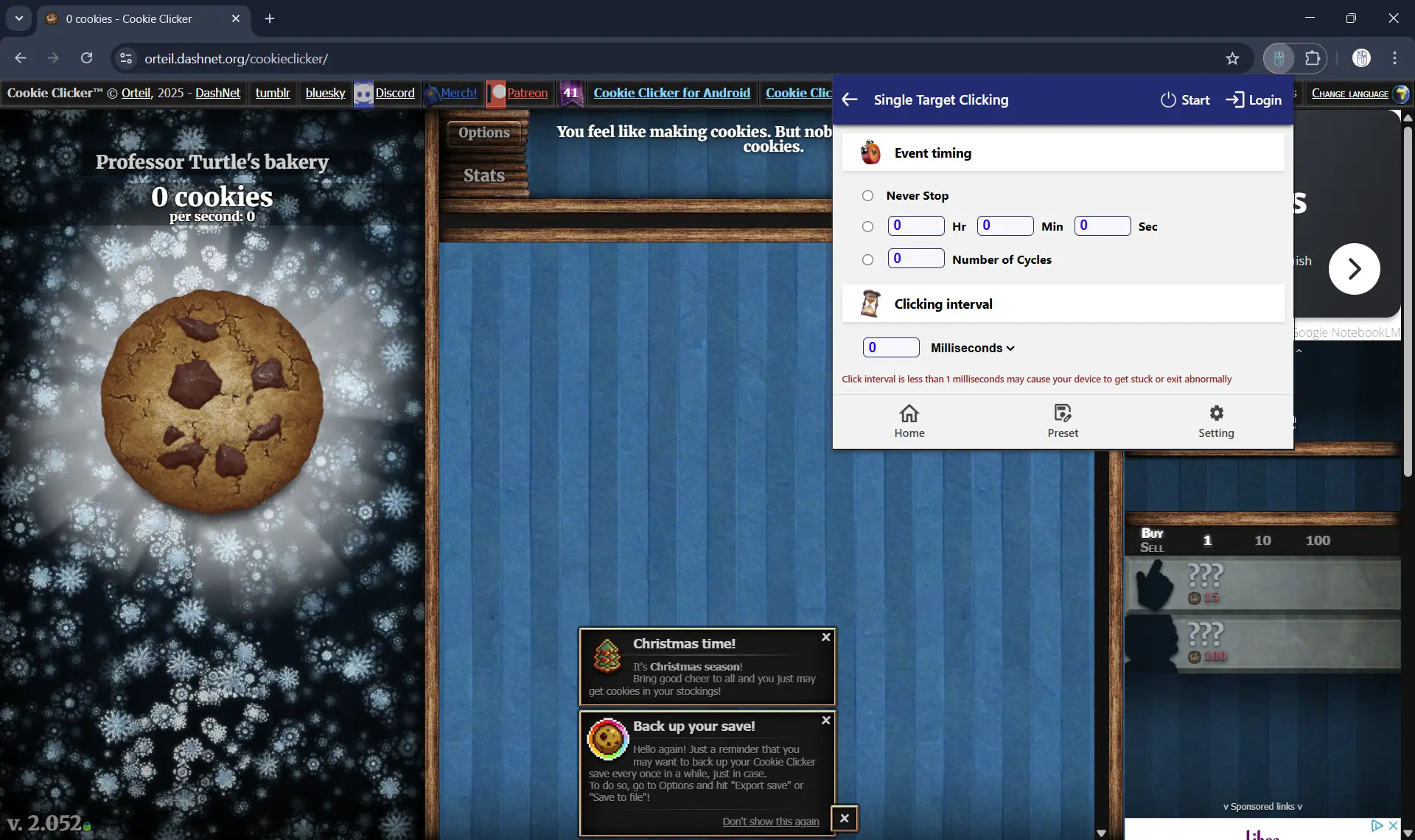
- Navigate to Cookie Clicker in your browser tab
- Click the MT Auto Clicker extension icon
- Select “Single Target Clicking” for cookie automation
Step 3: Set Your Event Timing
Choose based on your playing style:
- Never Stop: Perfect for overnight cookie generation or when you want to leave the game running
- Time Duration: Great for timed sessions like “click for 1 hour while I work” (format: 01:00:00)
- Number of Cycles: Useful for specific achievements or testing (example: 1000 cycles = 1000 clicks)
Step 4: Set Click Speed
For maximum speed, set the time interval to 1ms - this gives you the fastest clicking speed possible in the browser extension.
Step 5: Start and Position
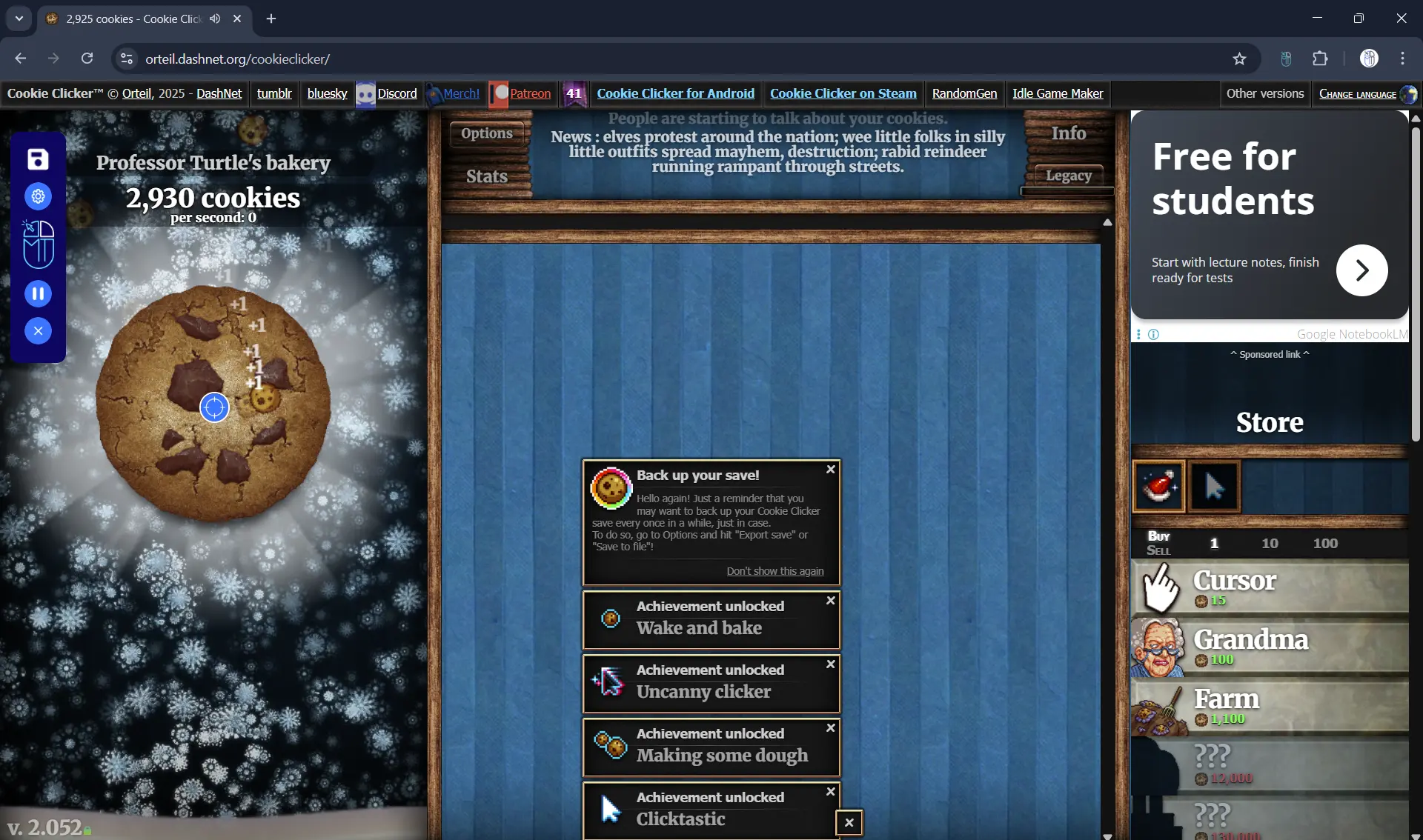
- Click “START” in the MT Auto Clicker interface
- A blue pointer will appear on your screen
- Position the blue pointer directly on the big cookie in Cookie Clicker
- The auto clicker will begin clicking automatically
Step 6: Use the MT Control Bar
The Control Bar gives you easy management options:
- Play/Pause: Stop or resume clicking without losing your settings
- Save Preset: Save your Cookie Clicker configuration for future sessions
Tips:
- Keep the Cookie Clicker tab active while the auto clicker runs
- You can adjust settings anytime through the Control Bar without restarting
Software Setup for Maximum Speed
Step 1: Download and Install MT Auto Clicker Software
- Visit the MT Auto Clicker website
- Go to the Windows download section
- Download and install the software on your computer
- Launch MT Auto Clicker from your desktop
Step 2: Configure for Cookie Clicker
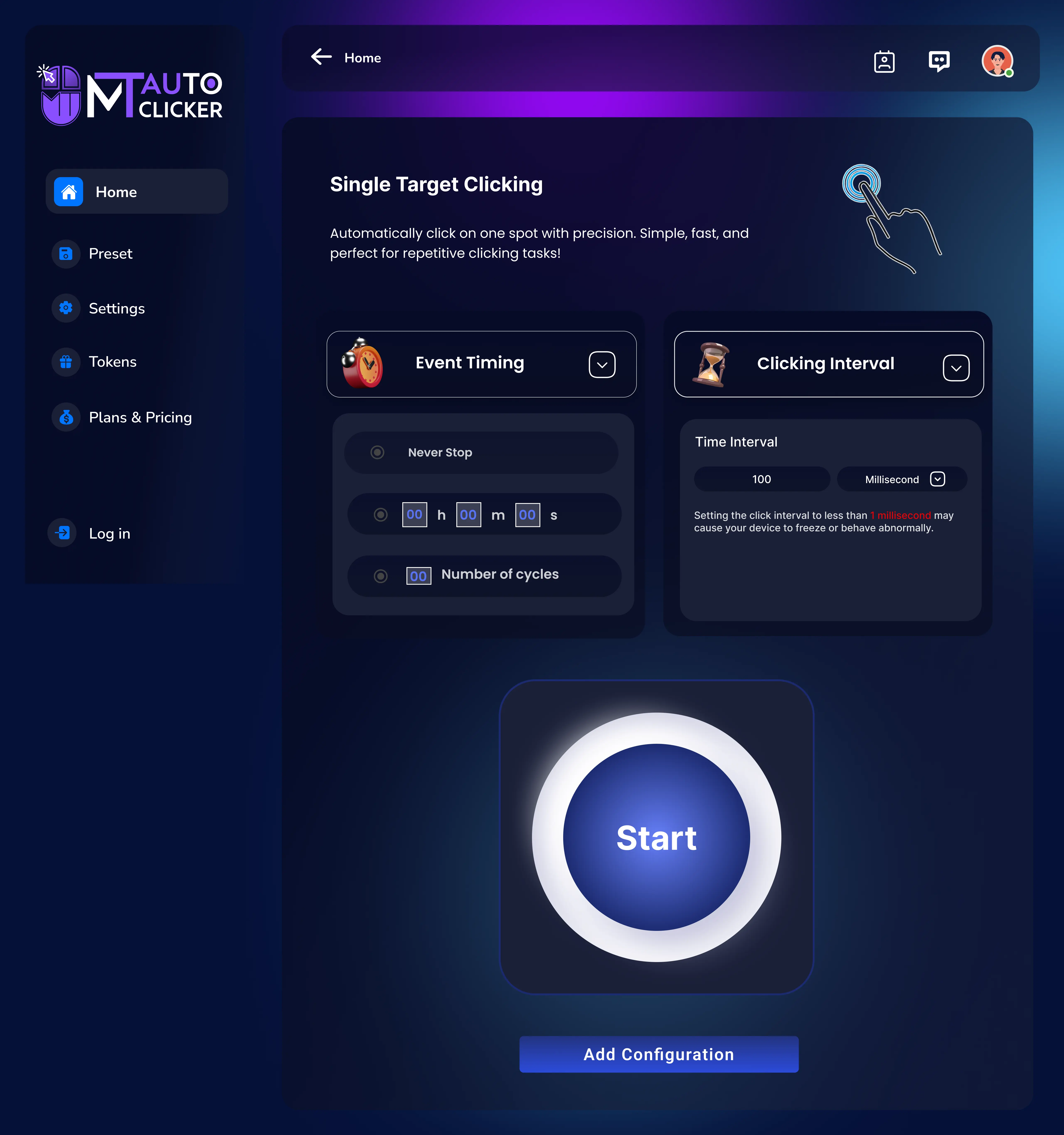
- Open Cookie Clicker in your browser
- Open the MT Auto Clicker software
- Select “Single Target Clicking” mode
Step 3: Set Maximum Speed Configuration
- Choose your Event Timing (Never Stop recommended for idle play)
- Set the time interval to 1ms for the true maximum speed
- This gives you the fastest possible clicking speed available in any auto clicker
Step 4: Position and Start
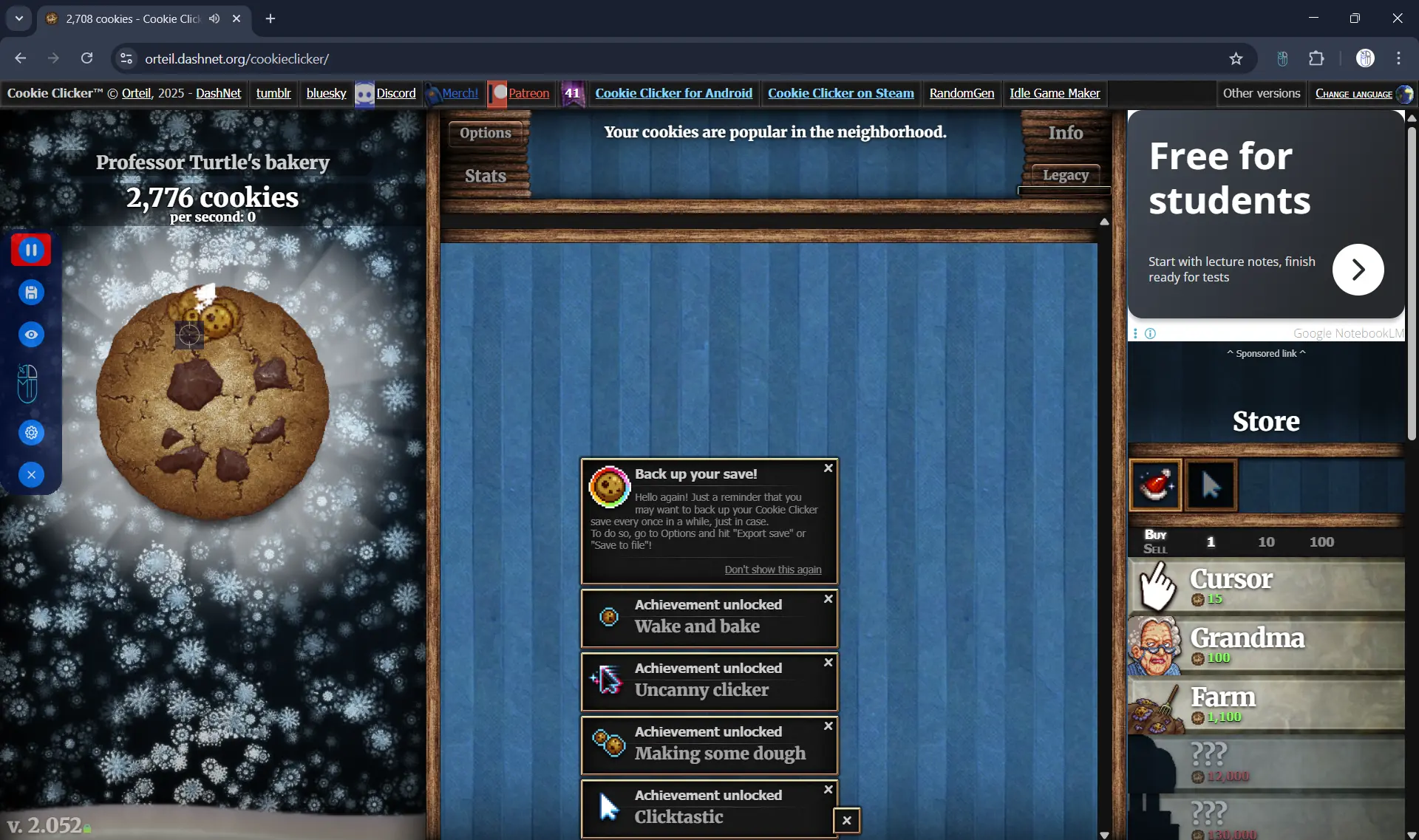
- Click “START” in MT Auto Clicker
- Position the blue pointer on the big cookie in Cookie Clicker
- The software will begin clicking at true 1ms precision
- Use the F6 hotkey to quickly start and stop the auto clicker anytime
Step 5: Monitor Performance
Use the MT Control Bar or F6 hotkey to:
- Pause when needed with F6
- Save your high-speed configuration as a preset
- Adjust settings without restarting
When to Use Software vs Extension:
- Choose Software: When you need maximum speed, competing for records, or want unrestricted clicking power
- Choose Extension: For casual play, convenience, or when using non-Windows devices
- Mac Users: MT Auto Clicker also offers Mac-specific solutions - check our dedicated Mac auto clicker guide for Cookie Clicker
Important: The 1ms software speed is significantly faster than browser extensions can achieve, making it perfect for power users who want ultimate Cookie Clicker performance.
Conclusion
Finding the right auto clicker for Cookie Clicker doesn’t have to be complicated. MT Auto Clicker delivers everything you need in one complete, free solution.
The browser extension works perfectly for most players - it’s easy to install, runs on any device, and provides reliable clicking without browser crashes. When you need maximum speed, the Windows software offers true 1ms precision that no browser extension can match.
Both options include flexible timing controls, so whether you want to click for 10 minutes or run overnight, you’re covered. The preset saving feature means you can set up your perfect Cookie Clicker configuration once and use it forever.
Most importantly, MT Auto Clicker is completely free with no hidden costs or limitations. You get professional-grade auto clicking tools that transform Cookie Clicker from a finger-breaking marathon into the relaxing idle game it was meant to be.
Stop clicking manually and start enjoying Cookie Clicker the way it should be played - with automation handling the repetitive work while you focus on strategy and progression.