


Clicker Heroes starts simple - click monsters, earn gold, upgrade heroes. But after a few hours, the brutal reality hits. Your hand cramps from constant clicking. Your progression slows to a crawl. Meanwhile, other players zoom past higher zones effortlessly.
The problem is clear. Manual clicking can't keep up with what Clicker Heroes demands. You're stuck at 10-12 clicks per second, while the game can handle much more. This speed gap kills your damage output and ruins the fun.
Auto clickers solve this completely. They eliminate hand strain while delivering the high-speed clicking that Clicker Heroes is designed around. The difference in progression is dramatic - what takes hours manually becomes minutes with proper automation.
But choosing the wrong auto clicker creates new problems. Unreliable software, poor positioning, and crashes that lose progress. Finding the right tool with optimal settings makes all the difference.
This guide shows you exactly how to find and use an auto clicker for Clicker Heroes. You'll learn what makes a good auto clicker, complete setup instructions, and everything needed for safe, effective automation that transforms your gameplay experience.
Let's dive right into it.
What is Clicker Heroes, and Why It Needs Auto Clicker?
Clicker Heroes is an incremental game where you click monsters to deal damage, earn gold, and hire heroes. The core gameplay loop is simple: click to kill monsters, use gold to upgrade heroes, repeat. But there's a catch that becomes obvious after playing for a few hours.
The Click Speed Reality:
Manual clicking maxes out around 8-12 clicks per second for most people. Auto clickers, however, can achieve much higher rates - often 40+ clicks per second or more, depending on your settings and system. This means manual players are using only a fraction of their potential damage output.
Here's what this looks like in practice:
- Manual clicking: 10 CPS = roughly 10x your base click damage per second
- Auto clicker: 50+ CPS = 50x+ your base click damage per second
That's a 5x+ damage difference, which translates to dramatically faster monster kills and zone progression.
When Manual Clicking Fails:
Early zones (1-100): Manual clicking works fine. Monsters die quickly, and the game feels manageable.
Mid zones (100-500): You notice clicking fatigue. Your hand starts hurting after 30-60 minute sessions. Progress slows because you can't maintain a consistent clicking speed.
Higher zones (500+): Manual clicking becomes nearly impossible. Monsters have millions of HP, and without sustained high-speed clicking, battles take forever. Many players hit a wall here without automation.
The Physical Problem:
Playing Clicker Heroes manually for 2+ hours causes real physical strain. Wrist pain, finger cramps, and repetitive stress are common complaints. Some players develop actual injuries from extended clicking sessions.
Auto clickers eliminate this entirely while providing the high click rates the game is designed around.
What Makes a Good Auto Clicker for Clicker Heroes?
When choosing an auto clicker for Clicker Heroes, three features matter most:
Precise Speed Control: Your auto clicker needs adjustable speed settings so you can find the optimal rate for your system and gameplay style. Tools that only offer basic "fast/slow" options limit your optimization potential.
Accurate Click Positioning: The tool must consistently click the monster area, not random screen locations. Poor positioning wastes clicks and reduces your damage output.
Reliable Performance: Clicker Heroes sessions run for hours. Your auto clicker needs to work stably without crashes, memory leaks, or slowdowns that interrupt long progression runs.
Additional Considerations:
Look for tools with easy hotkey controls for quick start/stop during skill activations or boss fights. Avoid outdated software that conflicts with modern systems, overly complex tools with unnecessary features, and suspicious downloads from unverified sources.
Tools like MT Auto Clicker that focus specifically on gaming automation tend to handle these requirements better than generic clicking software, offering the precision and reliability that Clicker Heroes demands.
Using MT Auto Clicker on Clicker Heroes
Here’s how to set up MT Auto Clicker windows for automated clicking in Clicker Heroes using the single target feature.
Step 1: Launch MT Auto Clicker and Clicker Heroes
Open MT Auto Clicker from your desktop. Launch Clicker Heroes in windowed mode so you can see both the game and access the MT Control Bar easily.
Step 2: Configure Single Target Clicking
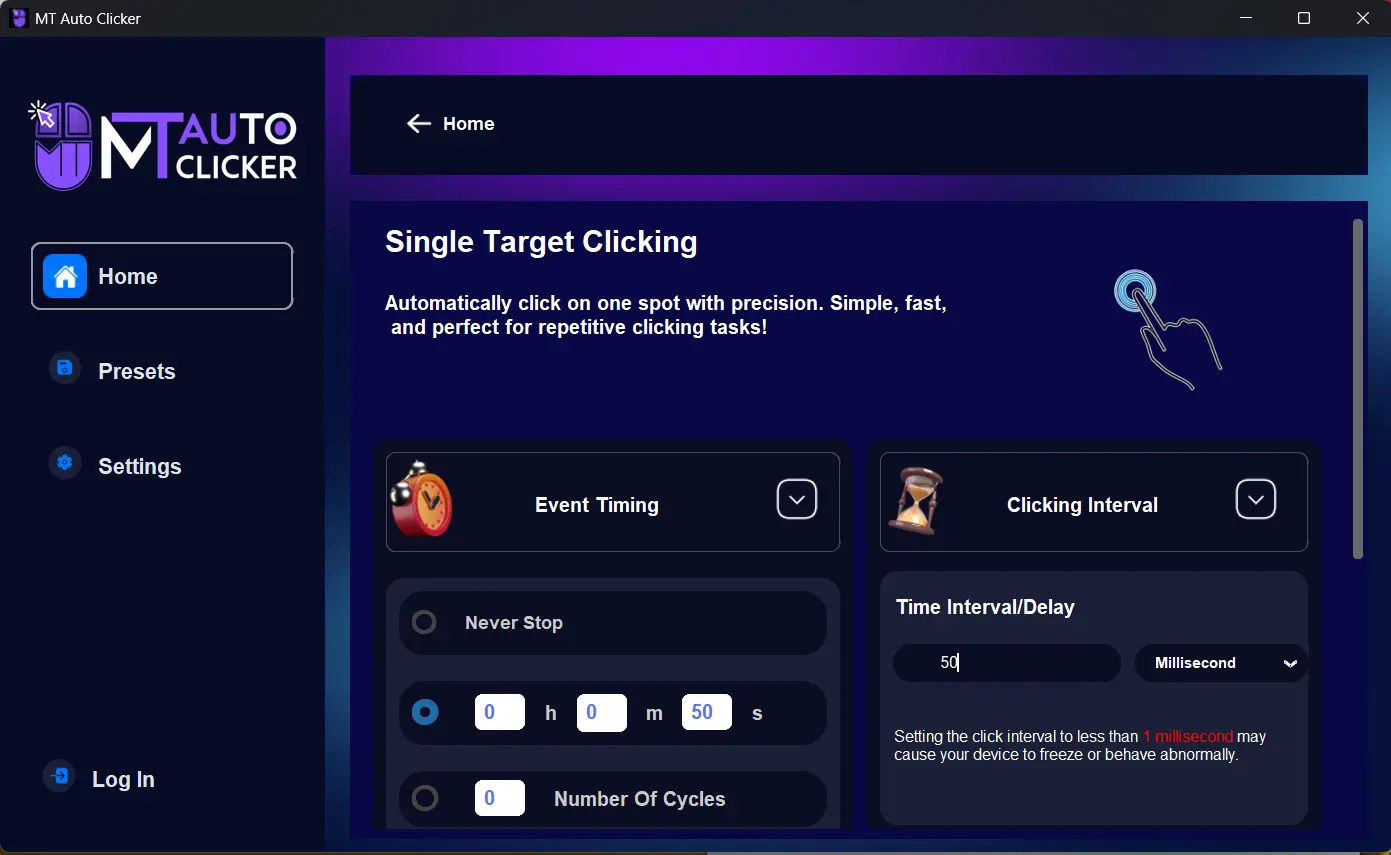
In MT Auto Clicker, select "Single Target Clicking" from the main interface. Then configure your click speed - start with a 50 millisecond interval (20 clicks per second) as your baseline. You can select intervals up to 1 millisecond, which will generate up to 1000 clicks per second - showcasing MT Auto Clicker's incredible speed capability.
Select "Never Stop" for continuous clicking, but first try setting it to 50 seconds to get a feel for how the automation works. If you do choose "Never Stop," remember that F6 or Fn+F6 can stop it at any time.
Step 3: Start Single Target Setup
Click the “START” button in MT Auto Clicker. A dark blue pointer will appear at the top-left corner of your screen.
Step 4: Position the Target
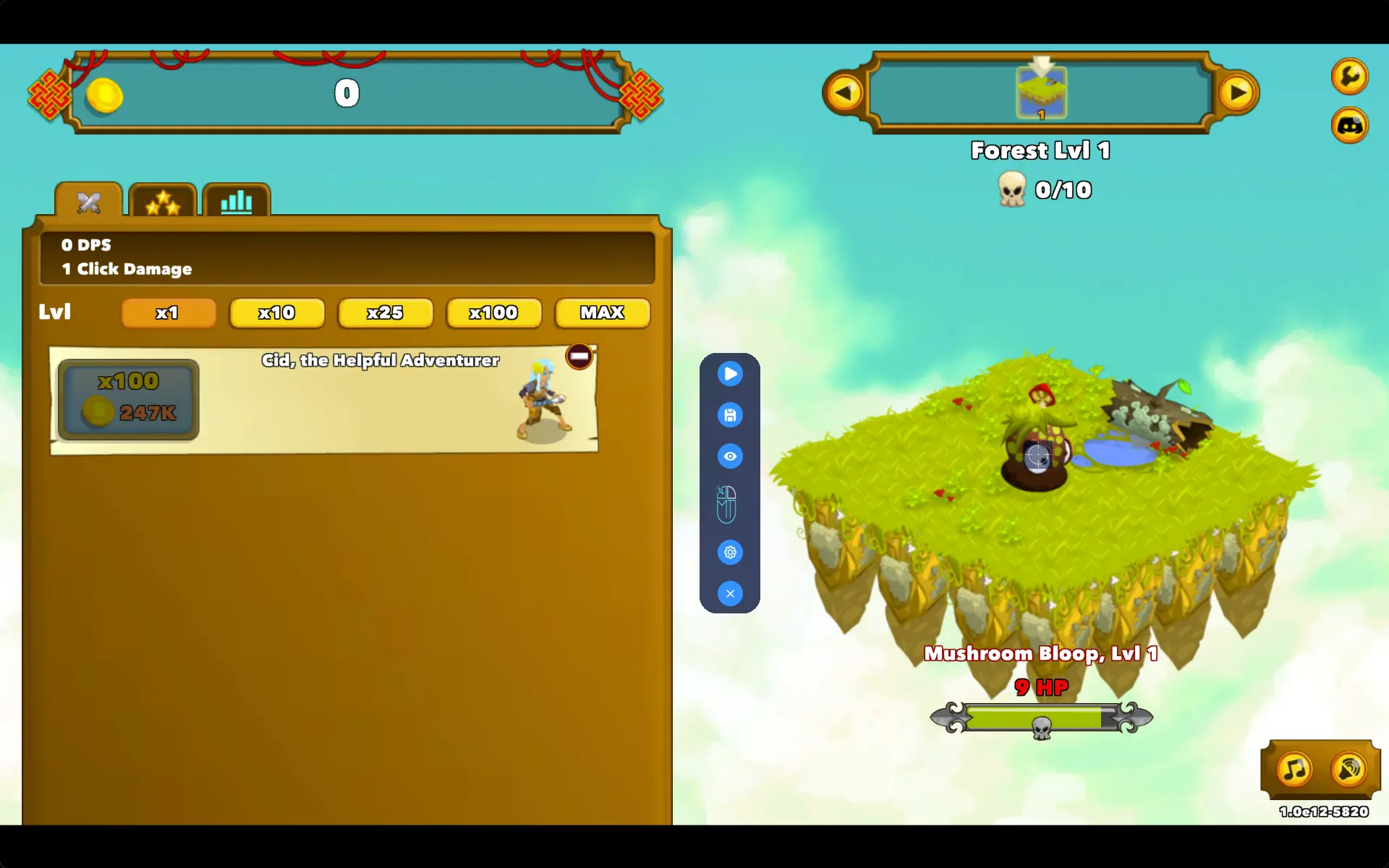
Drag this blue pointer from the top-left corner directly onto the monster area in Clicker Heroes. Position it in the center of where monsters appear - this is typically the middle-right area of the game screen.
Once you release the pointer at the correct position, click the play button in the MT Control Bar to start automated clicking at that spot.
Step 5: Use the MT Control Bar for Easy Control
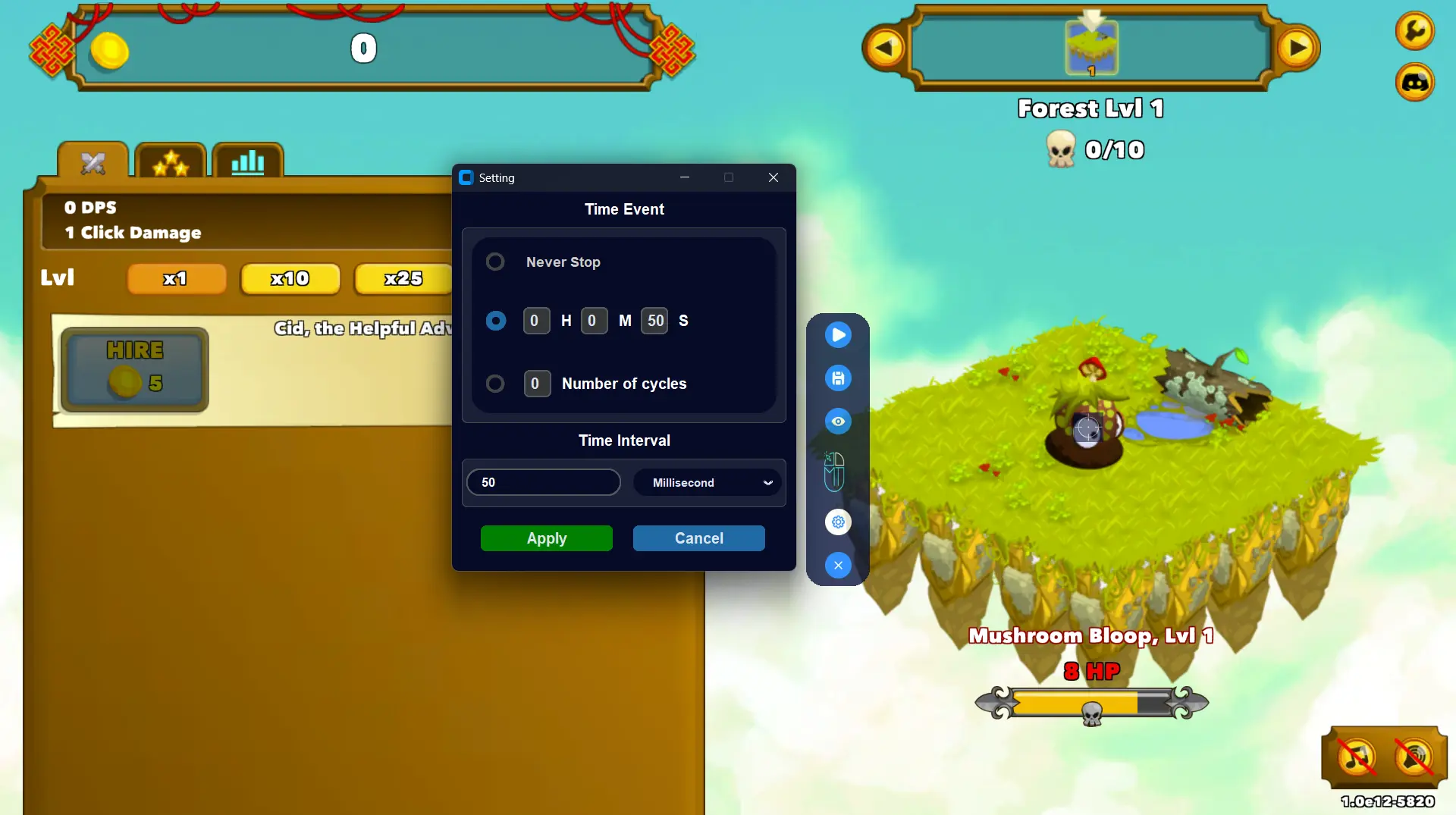
The MT Control Bar appears on your screen with these quick controls:
- Play/Pause (▶): Press F6 or click to start/stop clicking instantly
- Settings (⚙️): Adjust click speed without restarting setup
- Hide/Unhide (👁️): Toggle pointer visibility while keeping automation active
- Close (✕): Exit the auto clicker
Step 6: Save Your Configuration
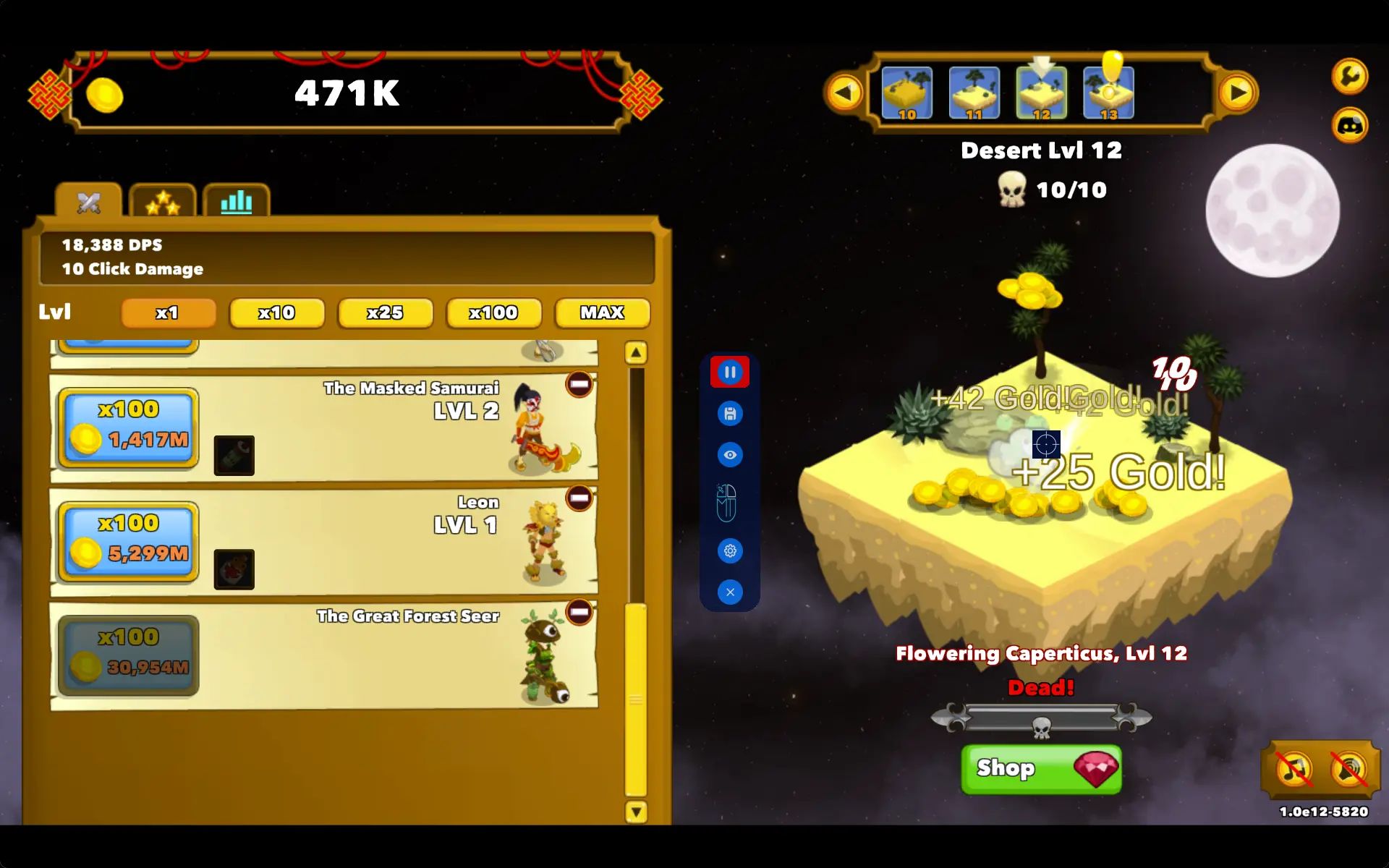
Click the Save icon (💾) in the MT Control Bar to save these settings for future Clicker Heroes sessions.
Quick Usage Tips:
- Use F6 as your hotkey to quickly pause automation when activating skills or making upgrades
- The pointer adapts if you move the Clicker Heroes window or change screen resolution
- Access all controls through the MT Control Bar without opening the main application
Does Using Auto Clicker Get You Banned in Clicker Heroes?
Short Answer: No, using auto clickers in Clicker Heroes is safe, and you won't get banned.
Here's why auto clickers are completely safe to use:
Clicker Heroes Allows Auto Clicking
Clicker Heroes is a single-player game where your clicking doesn't affect other players. There's no competition, no trading, and no multiplayer features that automation could disrupt. Since you're only improving your own game experience, there's no reason for developers to ban auto clicker usage.
The game developers (Playsaurus) have never made any statements against using auto clickers. Their Terms of Service don't prohibit the use of automation tools for single-player use.
Community Proof
Thousands of Clicker Heroes players openly use and discuss auto clickers on Steam forums, Reddit, and gaming communities. No one reports getting banned for using automation tools.
Many experienced players consider auto clickers a regular part of playing Clicker Heroes efficiently. The game even has achievements for fast clicking (like "Click 14 times in one second"), showing it's designed to handle rapid clicking.
Why It Makes Sense
Clicker Heroes already includes automation features like idle damage and auto-progress. External auto clickers just bridge the gap between manual clicking and full idle play. You're not cheating or exploiting - you're using tools that fit the game's design philosophy.
Stay Safe
Use reliable auto clickers like MT Auto Clicker rather than unknown software from sketchy websites. Quality tools don't modify game files or create security risks.
Bottom Line: The Clicker Heroes community and available evidence show that auto clicker usage is accepted, common, and safe. Focus on enjoying the game rather than worrying about bans.
Conclusion
Auto clickers transform Clicker Heroes from tedious grinding into enjoyable progression. No more hand pain or clicking fatigue. You can focus on strategy instead of repetitive clicking.
MT Auto Clicker makes this transformation simple. The setup takes just minutes. The MT Control Bar keeps everything accessible during gameplay. You get speeds up to 1000 clicks per second for maximum damage output.
Safety isn't a concern. Clicker Heroes welcomes automation. The community openly uses auto clickers. No players get banned for responsible usage.
Whether you're new to Clicker Heroes or tired of manual clicking, MT Auto Clicker delivers the speed and reliability you need. Setup is quick, but the benefits last for every gaming session.
Stop letting manual clicking hold you back. Try MT Auto Clicker and experience how automation makes Clicker Heroes more productive and fun.